![ExpensePoint White Logo.png]](https://support.expensepoint.com/hs-fs/hubfs/ExpensePoint%20Logos/ExpensePoint%20White%20Logo.png?height=40&name=ExpensePoint%20White%20Logo.png)
Managing invoices and payments efficiently is essential for maintaining smooth financial operations. The following steps show how to view pending invoices, review payments made, and access a comprehensive list of all invoices and payments within the ExpensePoint License Administrator. Navigating these critical features will help you stay on top of your financial responsibilities.
Steps to View Your Pending Invoices
- Access the License Administrator
Click on the License Administrator module at the top of the ExpensePoint window.
- Select the Show Invoices Option
From the View Tasks navigation menu on the left side of the screen, select Show Invoices.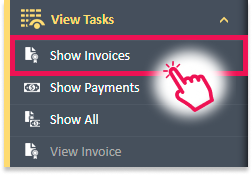
- View Invoices List
This will display a list of all invoices, both paid and unpaid, in the License Administrator workspace.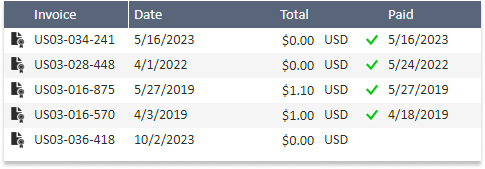
Steps to View Your Paid Invoices
- Access the License Administrator
Click on the License Administrator module at the top of the ExpensePoint window. - Select the Show Payments Option
From the View Tasks navigation menu on the left side of the screen, select Show Payments.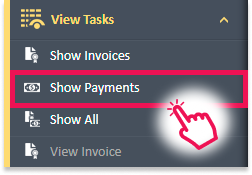
- View Payments List
This will display a list of all payments made for your invoices in the License Administrator workspace.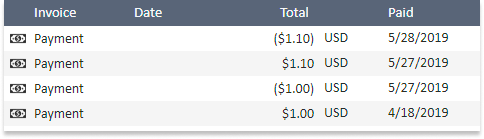
Steps to View All Your Invoices and Payments
- Access the License Administrator
Click on the License Administrator module at the top of the ExpensePoint window. - Select the Show All Option
From the View Tasks navigation menu on the left side of the screen, select Show All.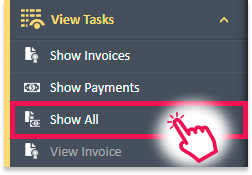
- View Invoices and Payments List
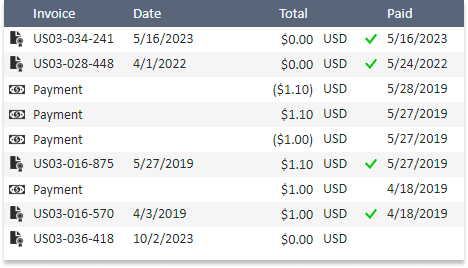
This will display a list of all payments and invoices in the License Administrator workspace without any filters applied.